
Next.js Job Board Starter
Next.js · Code · MIT
A complete job board you can run yourself: browse and filter jobs from the CleanJobData API, plus optional accounts, resume builder, application tracking, job posting, admin moderation and email alerts. Every feature is a switch in one config file.
What you need
- A CleanJobData API key (free to create)
- Postgres, only if you turn on accounts, resumes, applications, job posting, admin or alerts
- Resend, only for email verification and job alerts
What's in it
Browse and filter jobs
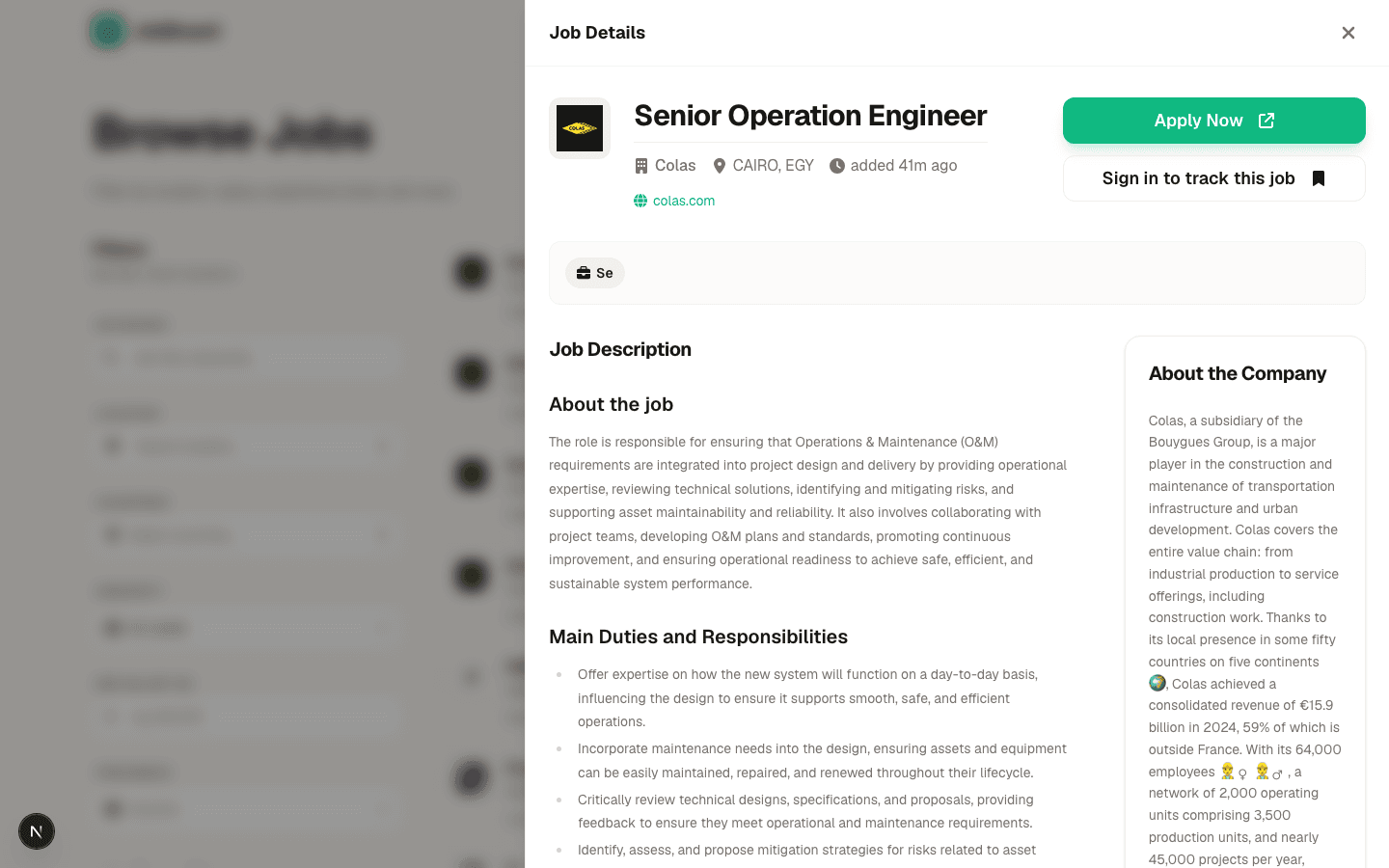
The core of the board. Jobs come straight from the CleanJobData API, with search and filters that sync to the URL so every search can be shared or bookmarked.
- Filter by keyword, location (with suggestions), country, seniority, salary and freshness
- Click a job to open it in a side panel without losing your place in the list
- Company profile, description and apply link on every job
- Works on its own: no database needed for this part
Track applications
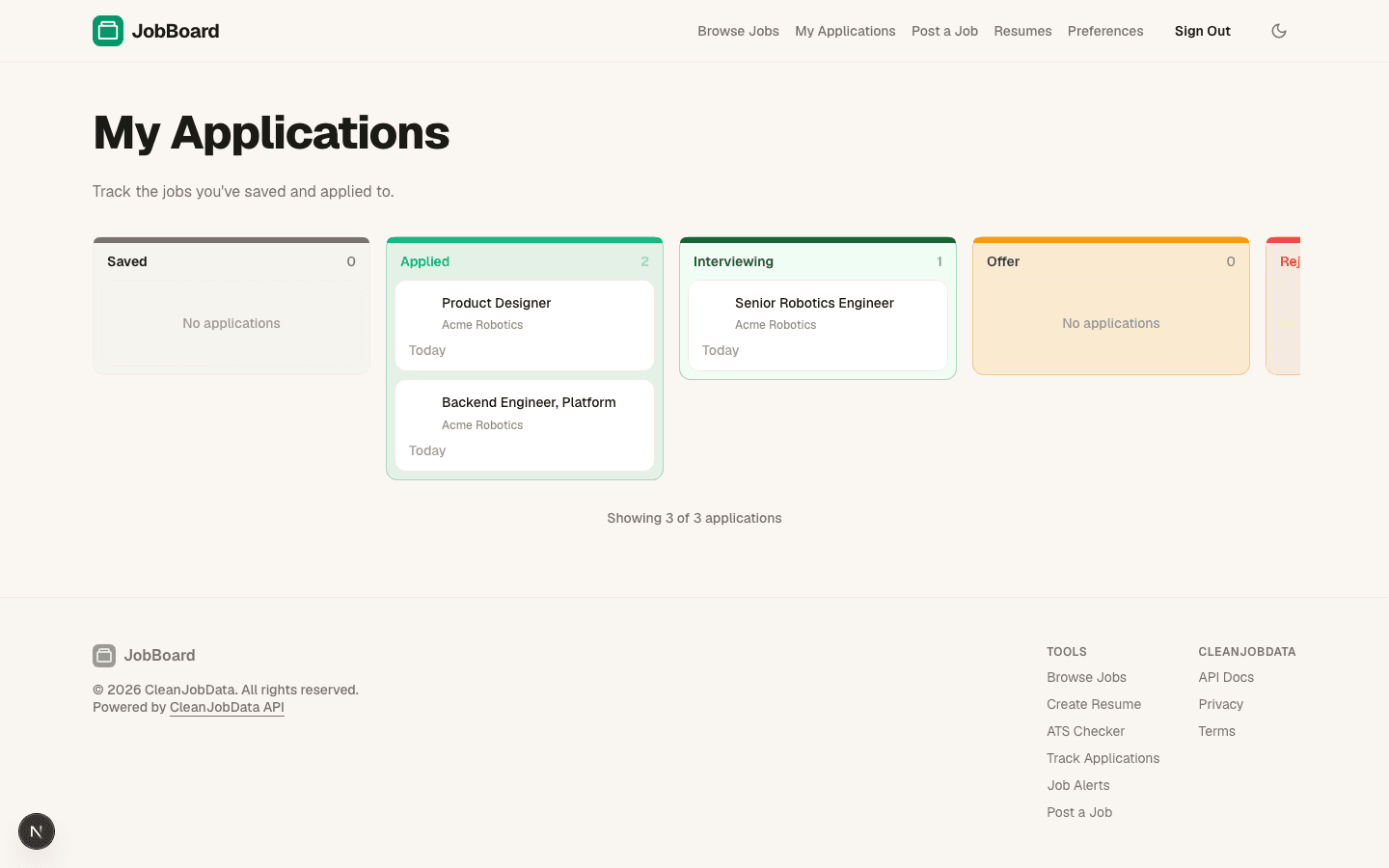
Signed-in users save jobs and move them through a board as they apply.
- Saved, Applied, Interviewing, Offer, Rejected and Withdrawn columns
- Drag cards between columns, or change status from the detail panel
- Notes on each application
Resume builder and ATS check
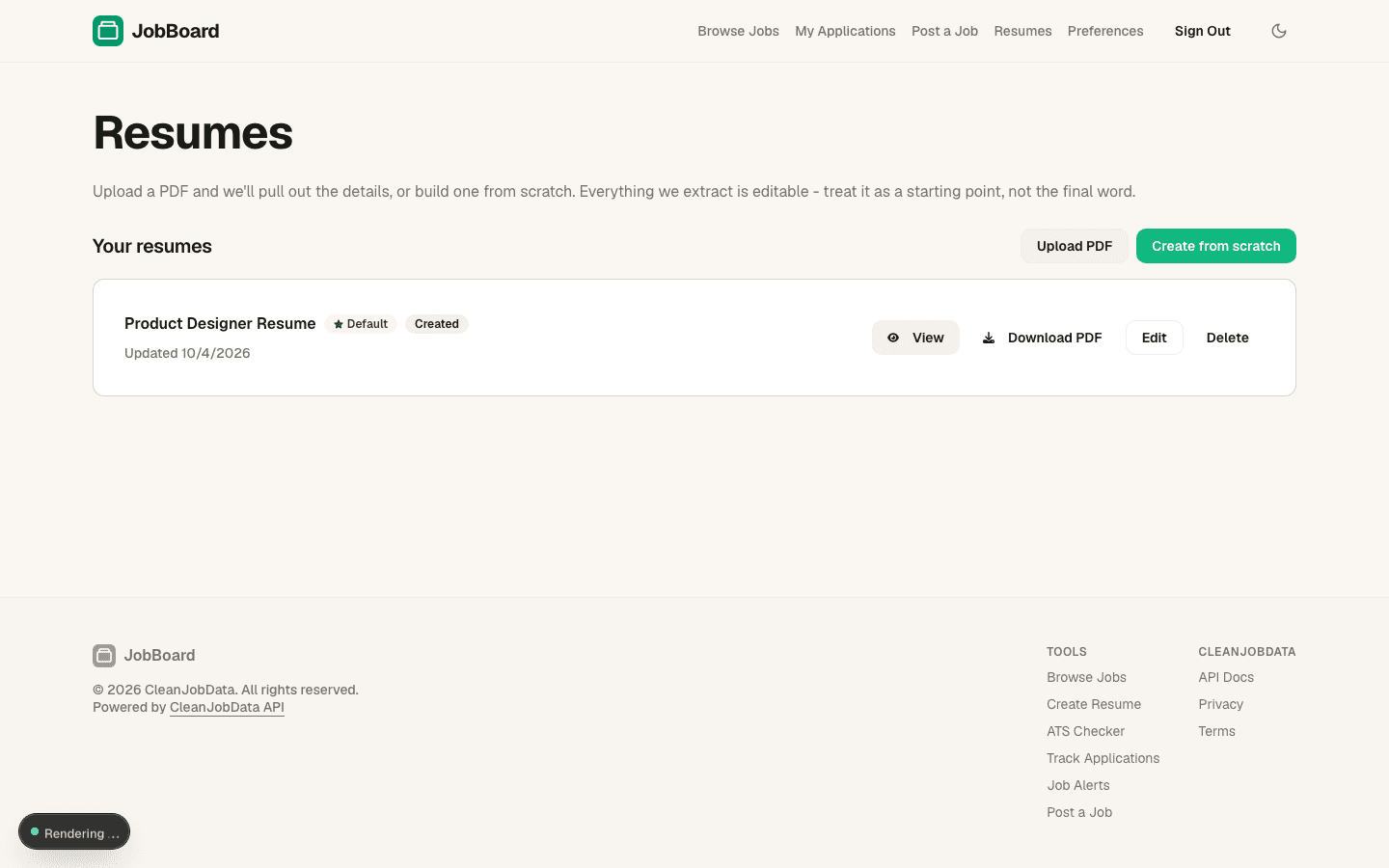
Users build a resume from scratch or upload a PDF, then export it as a PDF.
- Four PDF templates
- ATS check on uploaded resumes
- Optional AI-assisted parsing (needs an Anthropic key)
Guided onboarding
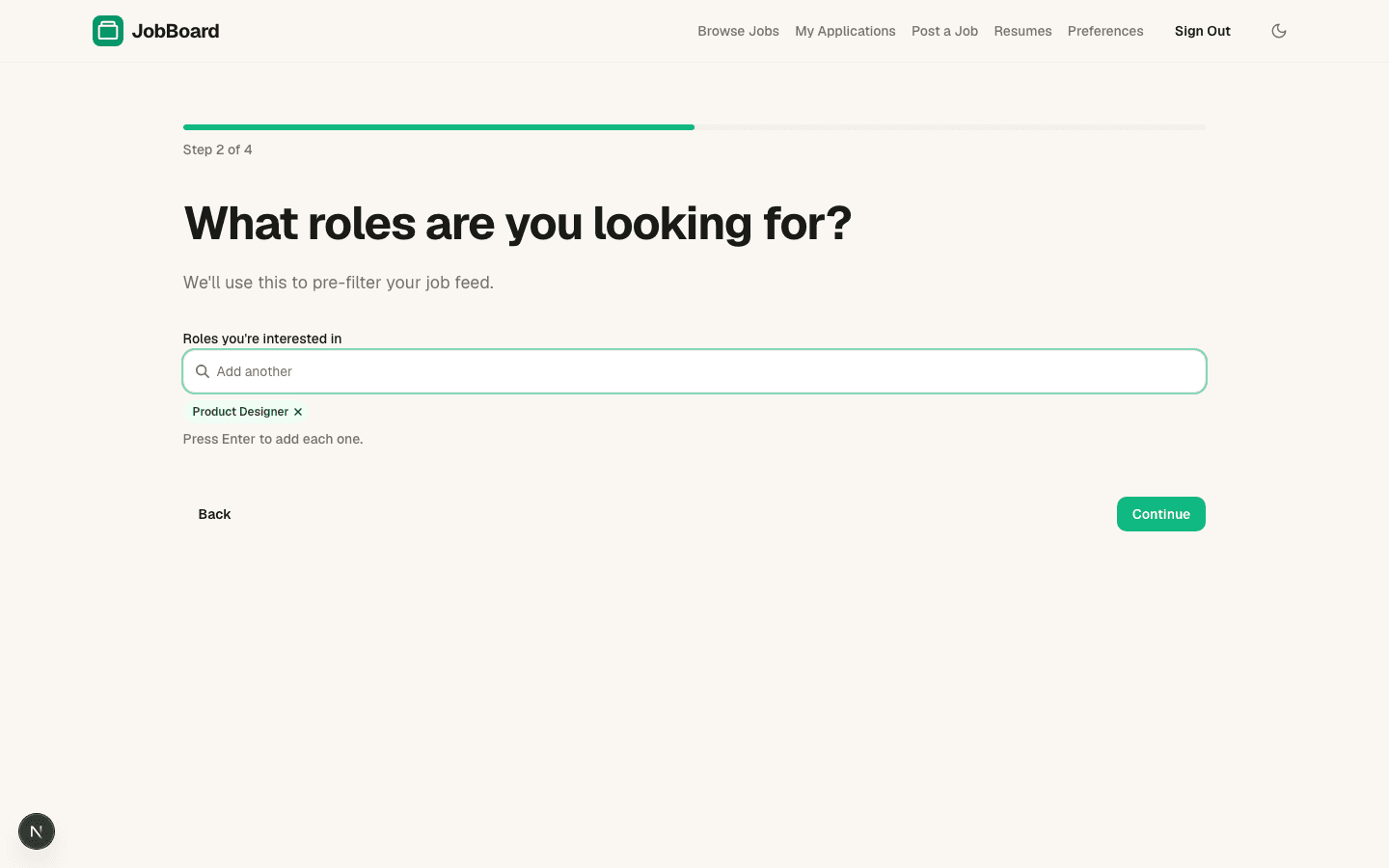
New users answer a few short questions so their job feed starts out filtered to what they want.
- Job seeker or employer
- Roles, locations, remote preference, experience level and minimum salary, one step at a time
Job posting and admin moderation
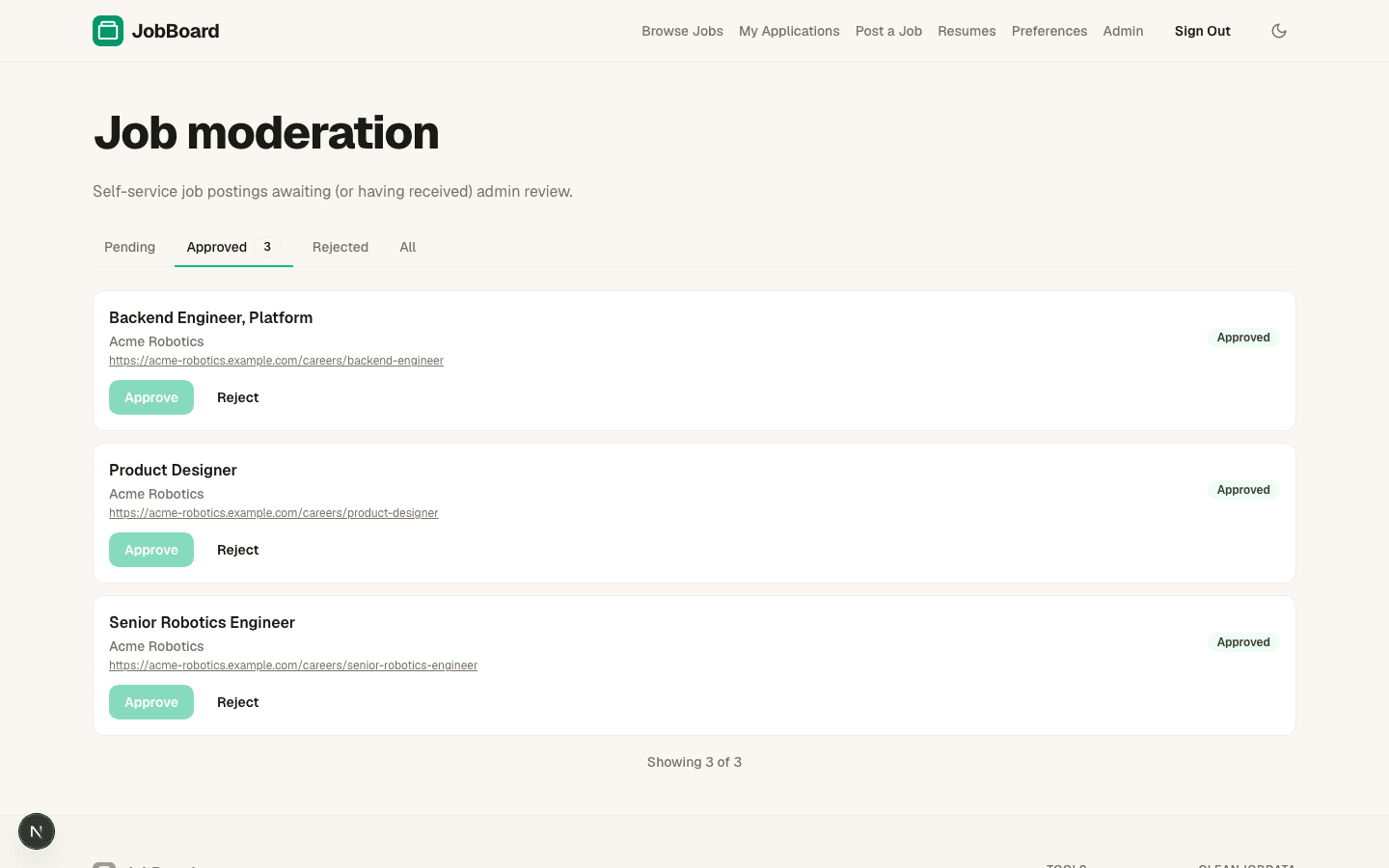
Employers create a company and post jobs themselves. Admins approve or reject each posting before it goes public.
- Company profiles with logo
- Moderation queue with pending, approved and rejected views
- Admin pages for users, sync status and email alert limits
Getting started
- 1
Get the code
Clone the repo and install dependencies.
git clone https://github.com/CleanJobData/nextjs-job-board-starter.git
cd nextjs-job-board-starter
npm install
- 2
Add your API key
Copy the example env file and set CLEANJOBDATA_API_KEY. The file lists every other variable and which feature needs it.
cp .env.example .env.local
- 3
Pick your features
Open features.config.ts and set each feature to true or false. For just a jobs board, turn the rest off and skip the database.
- 4
Set up the database (only if a feature needs it)
Generate and run the migrations.
npm run db:generate
npm run db:migrate
- 5
Run it
Open http://localhost:3450. To go live, use the Deploy buttons above.
npm run dev
Tech stack
FAQ
- Do I need a database?
- Yes — use Postgres. Job sync is on by default and caches jobs into a local table so the listing is fast and your API quota isn't hit on every page load. You can disable sync and have the listing hit CleanJobData directly, but that burns through your rate limit quickly on any real traffic. Beyond jobs: accounts, resumes, applications, job posting, admin and alerts all need Postgres when enabled.
- Can I change the look?
- Yes. theme.config.ts sets the colour preset, font, corner radius and default light or dark mode.
- Is it free?
- The template is MIT-licensed. You pay only for CleanJobData API usage on your plan.
Docs & source
The README and docs/ folder cover every feature flag, environment variable, database setup and deployment option.